Kart Arena Getting Started Guide
Survive your first lobbies, grab Lucky Blocks, and bank Coins with confidence.
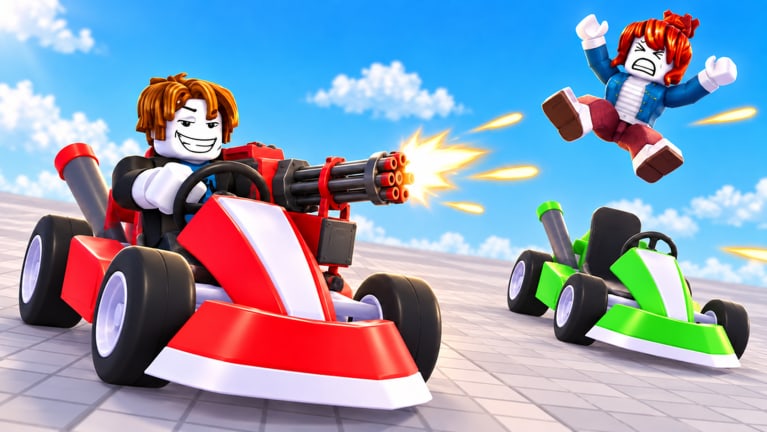
Kart Arena is Kalypso Games’ Roblox battleground where short kart fights, Lucky Blocks, and kill rewards collide. This getting-started guide takes you from first click to competent lobby presence without drowning in meta spreadsheets. You will learn the match loop, what to do in the opening minute, how Coins and skins fit, and which wiki pages to open next.
What you are playing
- Genre: Action / Battlegrounds & Fighting on Roblox
- Players: up to 8 per server
- Match length: about five minutes of pure chaos
- Core verbs: drive, grab Lucky Blocks, unleash wild weapons, wreck rivals, earn Coins, unlock kart skins, climb boards
- Platforms: PC, mobile, console (PS5 gameplay exists)
- Release: 13 September 2026 — still new, bugs possible
- Scale: millions of visits, tens of thousands of favorites, busy peak hours
Official launch point: the Kart Arena experience. Wiki overview and credits live on Wiki.
Minute-zero checklist
- Join a public server and wait for the lobby count to fill—full eights teach more than empty rooms.
- Open Settings once and verify drive / camera / item binds for your device (controls).
- Note where the shop / skins / rewards icons sit so you are not hunting UI mid-fight.
- Mentally commit to one learning goal this session: block contests or survival or rocket aim—not all three.
The battle loop in plain language
Spawn → rotate toward likely Lucky Block spawns → secure a drop → use it before you die holding it → chase damaged rivals → bank the Coin payout → repeat until the timer ends. That sentence is the game. Everything else is refinement.
Lucky Blocks are temporary loadouts. Do not treat a rocket pack like a ranked main you must protect for the whole match—spend it for eliminations. Details and timings belong in Lucky Blocks.
Opening minute priorities
Do:
- Move first; static karts eat free damage
- Glance at where multiple players converge—that is usually a block or choke
- Take mid-tier weapons immediately instead of craving a mythical perfect drop
Don’t:
- AFK in a corner “waiting for good loot”
- Tunnel on one rival while two others free farm
- Ignore audio cues of explosives behind you
Coins, skins, and early economy
Every kill pays Coins. Coins unlock cosmetic kart skins. Your first purchase should prioritize readability—a high-contrast shell you can track in smoke—covered in coins and skins and graded in karts tier list. Promo codes may add free Coins later; none are widely verified as of November 2026, and we will not invent any.
Combat starter kit (pre-meta)
Community footage consistently highlights rockets and landmines as swing picks. Until you memorize the full weapons tier list:
- Rockets → shoot groups and chokes
- Mines → seed escape routes and block pads
- Anything else → use it, then upgrade
Win condition thinking expands in how to win.
Device tips without overwhelm
- PC: mouse aim helps rockets; keep WASD movement smooth.
- Mobile: shorten goals—mine denial and positioning beat heroic flicks.
- Console / PS5: raise comfort settings early; use larger aim zones on chokes.
Exact keys can differ by patch—Settings is truth.
Soft goals for your first ten matches
| Match range | Focus |
|---|---|
| 1–3 | Survive full timers; learn HUD |
| 4–6 | Contest at least one Lucky Block per game |
| 7–10 | Convert one power drop into two eliminations |
Track personal eliminations, not just podiums. Climbing the leaderboard is a later arc.
Bugs and new-game patience
Fresh Roblox arenas ship rough edges: odd collisions, delayed reward toasts, UI moves after hotfixes. If something breaks, rejoin, check Updates, and avoid “fix” tools from Scripts—ban risk is not a tutorial step.
Next reading order
- Controls — lock binds
- Lucky Blocks — power spikes
- How to Win — placements
- Tier List — optimization
- Players — rivals and boards
You now know enough to enjoy the chaos on purpose. Queue in, grab the first block you can reach, and turn Lucky Block luck into practiced wrecks.
Frequently Asked Questions
Quick answers to the most common questions.
How long is a Kart Arena match?
Expect roughly five-minute battles. The short timer rewards decisive Lucky Block use over passive camping.
How many players share a server?
Up to eight. Full lobbies are the best classrooms for FFA habits.
What should I buy with my first Coins?
A readable kart skin you can spot in explosions. Skip camouflage patterns until you are comfortable mechanically.
Is Kart Arena finished / out of early access?
It released 13 September 2026 as a live Roblox experience. Still new—expect patches and occasional bugs.