How to Redeem Kart Arena Codes
Platform steps, troubleshooting, and scam avoidance for Kalypso Games drops.
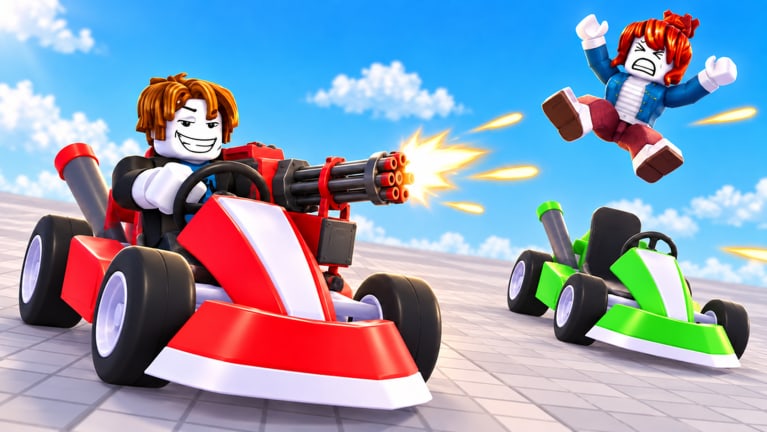
Redeeming a Kart Arena code should take under a minute once the Codes UI is available. This walkthrough covers PC, mobile, and console habits, how to spot the redeem panel in a new Roblox arena, and what to do when a code fails. Pair it with the Codes hub for live status—as of November 2026 there are no widely verified active codes, so treat this page as readiness training for the first real drop from Kalypso Games.
Before you redeem anything
- Launch Kart Arena from the official experience while logged into the account that should receive rewards.
- Finish any forced tutorial prompts so the full HUD loads—new titles sometimes hide reward buttons until the first match intro ends.
- Confirm you are not in a broken private server clone; use a normal public lobby if the Codes button is missing.
- Have the code copied exactly. Roblox codes are usually case-sensitive and reject extra spaces.
Never enter codes on third-party “auto redeem” websites. Those pages harvest cookies or passwords. Kart Arena rewards only land through official Roblox/game UI.
Finding the Codes or Rewards button
Kalypso Games may label the panel Codes, Rewards, Gifts, or nest it under a hamburger / shop menu. Community-observed patterns for arena games:
- Top-left or top-right HUD icons near shop and settings
- A mailbox / gift crate button on the lobby screen between matches
- A text field inside a shop tab labeled Social or Promo
Because Kart Arena is still young (released 13 September 2026), the button can move after a patch. If you cannot find it:
- Open Settings and scan for linked reward options
- Recheck after returning to the lobby from a ~5-minute match
- Watch Kalypso Games group shoutouts for UI screenshots when a code launches
Update this muscle memory whenever the Updates hub mentions HUD changes.
PC redemption steps
- Enter a lobby or hub area where menus respond (not mid-death camera if inputs are locked).
- Click the Codes / Rewards icon.
- Paste or type the code into the field.
- Submit with the on-screen Confirm / Redeem button.
- Wait for a toast or inventory popup—Coins should reflect in your balance; skins appear in the kart cosmetic menu covered under coins and skins.
If the keyboard focus stays on chat, click the text field again or close chat first. Fullscreen quirks on some browsers occasionally steal Enter—use the on-screen button.
Mobile redemption steps
- Rotate to your usual play orientation so HUD icons are not clipped.
- Tap the Codes / Rewards icon. If icons overlap the joystick, use the pause / menu affordance first.
- Tap the input field to open the device keyboard.
- Paste the code (long-press paste) to avoid typos.
- Tap Redeem and keep the app open until the success message appears.
On low-end devices, wait an extra second after redeeming before hopping into a match so the reward grant can finish. Then jump into a fight using your normal controls.
Console / PS5 notes
Console players (including PS5 sessions shown in community footage) redeem with virtual cursors or gamepad UI focus:
- Open the on-screen menu with the button your Settings list for Menu / UI.
- Highlight Codes / Rewards and confirm.
- If a software keyboard opens, enter carefully—controller typing is where most typos happen.
- Prefer linking a companion device to copy/paste when Roblox allows account-linked input helpers.
- Confirm the reward on the same console profile you play ranked or leaderboard sessions on.
Exact face-button prompts vary; always trust the in-game labels over a static wiki diagram when they conflict.
Troubleshooting failed codes
| Symptom | Likely cause | What to try |
|---|---|---|
| Invalid code | Typo, wrong game, or fake list | Recopy; verify it was meant for Kart Arena on Codes |
| Already redeemed | One-time per account | Stop retrying; check Coin balance |
| Expired | Timed event ended | Remove from your notes; wait for new drops |
| No UI button | Patch moved it / soft lock | Rejoin server; check Updates |
| Success toast but no item | Visual delay / bug | Relog; inspect skin menu; report if persistent |
New games can ship redeem bugs. If a widely confirmed code fails for everyone, watch Kalypso Games for a hotfix note on our latest patch page.
Scams and impersonation
- “Codes” that require joining an off-platform Discord and downloading an executor are scripts, not codes—see Scripts warnings.
- Anyone asking you to log in on a clone site is stealing accounts.
- Lists with fifty “working” codes for every Roblox game are content farms. Prefer proof: a clip of the redeem toast inside Kart Arena.
After a successful redeem
Spend Coins intentionally. Early skins that keep your kart readable in Lucky Block smoke are higher value than hoarding forever—details in coins and skins and karts tier list. Then return to the fight loop: contest blocks, land eliminations, climb the leaderboard.
Codes are a bonus lane beside skill. Master getting started, Lucky Blocks, and how to win so free Coins amplify good habits instead of masking bad ones.
Checklist you can screenshot
- Official Kart Arena only
- Correct account
- Exact code string
- Redeem via in-game UI
- Verify Coins / skin grant
- Recheck Codes hub after every major update
When the first verified wave lands, redeem with this page open, then tell your stack to avoid shady mirrors. Clean rewards, clean lobbies, more time for rockets and rival wrecks.
Frequently Asked Questions
Quick answers to the most common questions.
Where is the Kart Arena codes button?
Look for Codes, Rewards, or Gifts on the lobby HUD or shop menu. Patches can move it—recheck after updates if it disappears.
Can I redeem the same code twice?
Usually no. Most Roblox promo codes are once per account. A second attempt typically returns an already-redeemed error.
Do I need a script to redeem codes?
Never. Official UI only. Anyone demanding an executor for codes is pushing malware or bans.
Why does my code say invalid?
Common causes are typos, expired strings, or codes meant for a different game. Confirm against the Codes hub before retrying.